
Start Your 3D Animation Journey with the Right Tools
Introductions
The world of 3D animation is exciting, creative, and full of career opportunities. From blockbuster movies and video games to advertisements and architectural visualizations, 3D animation plays a major role in modern digital media.
For beginners, however, entering the world of 3D animation can feel overwhelming because of the variety of software available. Understanding the basics of 3D animation software is the first step toward building a successful career in animation.
At Arena Animation, students receive practical training on industry-standard tools and workflows that prepare them for real-world creative careers.
What Is 3D Animation?
3D animation is the process of creating moving objects and characters within a three-dimensional digital environment.
Unlike 2D animation, 3D animation allows creators to work with:
- Depth
- Realistic lighting
- Dynamic camera angles
- Detailed environments
- Complex character movements
Today, 3D animation is used in:
- Movies
- OTT content
- Video games
- Product advertisements
- Architectural walkthroughs
- Educational content
- Virtual reality experiences
Why Learning 3D Animation Software Matters
Animation ideas become reality through software.
Professional tools help artists:
- Create 3D models
- Animate characters
- Simulate physics
- Add textures and materials
- Render realistic scenes
Learning industry-standard software increases career opportunities and helps students work efficiently in professional studios.
Key Stages of the 3D Animation Process
Before exploring software, beginners should understand the animation pipeline.
1. Modeling
Creating 3D objects, characters, and environments.
2. Texturing
Adding colors, materials, and surface details.
3. Rigging
Building a digital skeleton that allows movement.
4. Animation
Creating motion and character performances.
5. Lighting
Adding realistic light sources and atmosphere.
6. Rendering
Generating the final visual output.
Most professional software supports these stages.
Popular 3D Animation Software for Beginners
1. Blender
Website:
👉 https://www.blender.org/
Blender is one of the most popular beginner-friendly 3D software platforms.
Features include:
- 3D modeling
- Animation
- Sculpting
- Rendering
- Simulation tools
Benefits:
✔ Free and open-source
✔ Large learning community
✔ Professional-quality capabilities
Many beginners start their 3D journey with Blender.
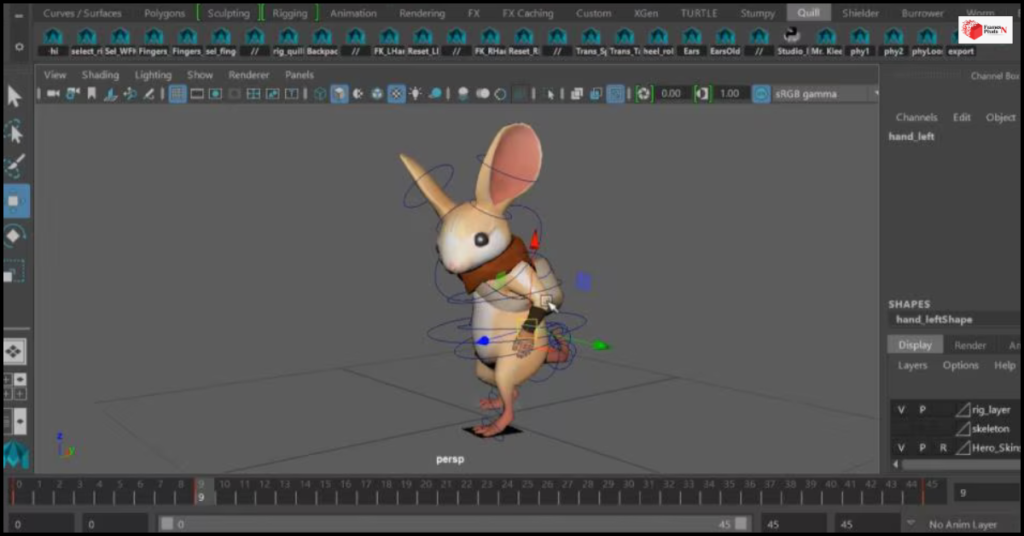
2. Autodesk Maya
Website:
👉 https://www.autodesk.com/products/maya/
Maya is one of the most widely used animation software programs in professional studios.
It is commonly used for:
- Character animation
- Film production
- VFX projects
- Gaming assets
Benefits:
✔ Industry-standard software
✔ Advanced animation tools
✔ Powerful rigging systems
Many major studios use Maya for professional productions.
3. Cinema 4D
Website:
👉 https://www.maxon.net/
Cinema 4D is known for its user-friendly interface and strong motion graphics capabilities.
Popular among:
- Motion designers
- Advertisers
- Content creators
Benefits:
✔ Easy learning curve
✔ Excellent motion graphics tools
✔ Fast workflow
4. 3ds Max
Website:
👉 https://www.autodesk.com/products/3ds-max/
3ds Max is frequently used in:
- Architectural visualization
- Product design
- Gaming
Benefits:
✔ Strong modeling tools
✔ Architectural workflow support
✔ Professional rendering options
Skills Beginners Should Focus On
Many students focus only on software, but successful animators develop broader skills.
Important areas include:
Creativity
Generating original ideas and visual solutions.
Observation
Studying real-world movement and behavior.
Storytelling
Creating engaging visual narratives.
Patience
Animation requires attention to detail and consistent effort.
Problem-Solving
Finding creative solutions to technical challenges.
Learning Resources for Beginners
Aspiring animators can improve their skills through:
- Online tutorials
- Practice projects
- Creative communities
- Industry blogs
- Structured training programs
Industry insights:
👉 https://www.ibef.org/industry/media-entertainment-india
Regular practice and guidance help students grow faster.
How Arena Animation Helps Students Learn 3D Animation
At Arena Animation, students gain:
✔ Hands-on software training
✔ Industry-oriented curriculum
✔ Project-based learning
✔ Portfolio development support
✔ Exposure to professional workflows
✔ Mentorship from experienced trainers
Explore animation programs:
🌐 https://www.arena-multimedia.com/
Students learn not only software operation but also the creative and technical skills required by employers.
Frequently Asked Questions (FAQs)
Q1. Which 3D animation software is best for beginners?
Blender is often recommended because it is free, powerful, and beginner-friendly.
Q2. Do professional studios use Blender?
Yes. While Maya remains an industry standard, Blender is increasingly used in professional projects.
Q3. Is learning software enough to become an animator?
No. Successful animators also need storytelling, creativity, observation, and problem-solving skills.
Q4. How long does it take to learn 3D animation?
The basics can be learned within a few months, but professional-level skills require continuous practice and training.
Q5. How does Arena Animation help students learn 3D animation?
Arena Animation provides structured learning, practical projects, software training, and portfolio development to prepare students for industry careers.
Connect With Arena Animation
🌐 Website:https://www.arenavirar.com/arena-animation-vfx-animation-course/
📸 Instagram: https://www.instagram.com/arenaanimation_mv/
📘 Facebook: https://www.facebook.com/people/Arena-Animation-Mira-Road-Virar/61559584420604/
💼 LinkedIn:https://www.linkedin.com/in/arena-animation-mira-road-virar-66078a1b2/
▶️ YouTube: https://www.youtube.com/@arenaanimationvirar4423
Closing Thought
The world of 3D animation offers limitless creative possibilities. Whether you dream of working on films, games, advertisements, or digital experiences, learning the right software is the first step toward turning imagination into reality.
For beginners, success comes from combining technical knowledge with creativity, practice, and professional guidance. At Arena Animation, students receive the training and industry exposure needed to confidently begin their journey into the exciting world of 3D animation and build successful careers in the creative industry.